Many people bounce off machine learning at the same point: page three of a tutorial, where the maths notation appears and intuition disappears. It doesn’t have to go that way. Some of the best teaching tools in ML are interactive visualisations that let you change a setting and immediately see what happens. They won’t replace learning the maths eventually, but they give you the mental pictures that make the maths make sense.
Below is a learning path through free, browser-based tools, with a specific exercise for each. Work through them in order and you’ll understand neural networks, image models and transformers far better than a first read of any textbook would give you.
1. TensorFlow Playground: how a neural network learns
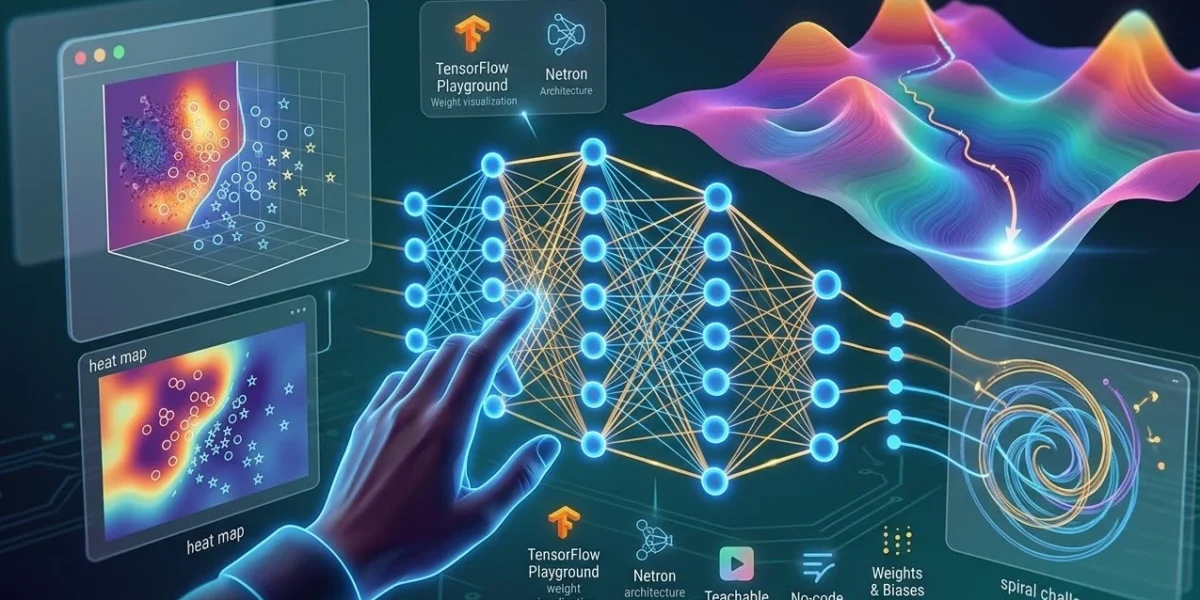
TensorFlow Playground runs a tiny neural network in your browser on 2D datasets. You can add layers and neurons, pick activation functions, change the learning rate and watch the decision boundary form in real time. Line thickness shows the strength of each connection.
Exercise: the spiral.
- Pick the spiral dataset (bottom right) and use only the default X₁ and X₂ inputs.
- Set activation to Linear and press play. No matter how many neurons you add, it can’t separate the spiral. That’s your first real lesson: stacking linear layers still gives you a linear model.
- Switch to ReLU or Tanh, use two or three hidden layers with six to eight neurons each, and play again. Watch the boundary bend into a spiral.
- Now push the learning rate up to 3 or 10. Training becomes unstable, and the loss jumps around instead of falling. You’ve just seen why learning rate is the first thing people tune.
- Finally, add noise and turn on regularisation. Compare the test loss with and without it. That’s overfitting and its cure, visible in one screen.
2. Teachable Machine: training on your own data
Teachable Machine by Google lets you train an image, sound or pose classifier using your webcam or microphone, with no code. Behind the scenes it uses transfer learning, fine-tuning a pre-trained model on your examples.
Exercise: break your own model.
- Train a classifier with two classes, such as “holding a cup” and “empty hand”, with about 50 images each, all taken in the same room and light.
- Test it. It’ll probably look great.
- Now test it in a different room, with different lighting or a different background. Accuracy often drops sharply.
- Add training images from varied conditions and retrain.
You’ve just experienced the most important practical lesson in ML: models learn whatever patterns separate your training data, including ones you didn’t intend, like background colour. Data quality and variety usually matter more than model choice.
3. CNN Explainer: what image models see
CNN Explainer, from Georgia Tech’s Polo Club, walks through a small convolutional neural network classifying images. You can click any neuron to see how a convolution filter slides over the input, what the feature maps look like, and how activations flow to the final prediction.
Exercise: follow one image through the network. Pick an image and click through each layer. Notice how early layers respond to edges and simple textures while later layers respond to more complex combinations. Then read the explanation of convolution, padding and stride with the animation beside it. These are concepts that are hard to grasp from text alone.
4. Transformer Explainer: how LLMs predict the next word
From the same group, Transformer Explainer runs a small GPT-2 model live in your browser and visualises each step: tokenisation, embeddings, attention, and the probability distribution over the next token.
Exercise: play with temperature.
- Type a short prompt and look at the predicted next-token probabilities.
- Lower the temperature and watch the distribution sharpen, so the top choice dominates.
- Raise it and watch it flatten, so less likely tokens get a real chance.
- Look at the attention view and see which earlier words each token is “looking at”.
After this, the “temperature” setting in every AI API will stop being a mystery, and “the model predicts the next token” will mean something concrete.
5. Netron: looking inside real model files
Netron is a viewer for trained model files, including ONNX, TensorFlow Lite, Keras, PyTorch exports and many more. Drop a model file into the browser and you see its architecture as a graph: every layer, its shape and its parameters.
Exercise: export the model you trained in Teachable Machine (it offers TensorFlow.js and TensorFlow Lite formats) and open it in Netron. You’ll see the pre-trained base network that transfer learning reused, and the small classification head that was trained on your images. It’s a very clear picture of what “fine-tuning” means.
From visuals to code
Once these tools have given you intuition, the next step is reproducing the same ideas in code. A simple bridge:
# A tiny version of the Playground spiral, in scikit-learn
from sklearn.datasets import make_moons
from sklearn.neural_network import MLPClassifier
from sklearn.model_selection import train_test_split

X, y = make_moons(n_samples=500, noise=0.2, random_state=0)
X_train, X_test, y_train, y_test = train_test_split(X, y, random_state=0)

for activation in ["identity", "relu"]:
    model = MLPClassifier(hidden_layer_sizes=(8, 8), activation=activation,
                          max_iter=2000, random_state=0)
    model.fit(X_train, y_train)
    print(activation, "test accuracy:", round(model.score(X_test, y_test), 3))
Run it and you’ll see the same lesson as the Playground: the “identity” (linear) activation can’t separate the curved classes as well as ReLU can. Plotting the decision boundary with matplotlib is a good next exercise.
What visual tools can’t teach you
These tools are excellent for intuition, but it’s worth being clear about their limits:
- They use tiny models and toy data. Real projects involve messy data, evaluation design and deployment, none of which a visualisation shows.
- Seeing a mechanism isn’t the same as being able to reason about it. You’ll still want the basics of linear algebra, probability and gradients eventually.
- Explainability tools for large models, such as attention maps and saliency maps, can mislead. They show something about the model, but not always why it decided what it did.
A suggested four-week plan
- Week 1: TensorFlow Playground exercises, plus a short introductory video series on neural networks.
- Week 2: Teachable Machine and Netron, then the scikit-learn example above.
- Week 3: CNN Explainer, then train a small image classifier in Keras or PyTorch following an official tutorial.
- Week 4: Transformer Explainer, then call an LLM API and experiment with temperature and prompts, relating what you see to the visualisation.
By the end you won’t be an ML engineer, but you’ll have something many beginners lack: a clear picture of what’s happening inside the models you’re using, which makes everything you learn afterwards stick.
Related reading
- Build a Private Knowledge Graph of Your Notes with a Local LLM
- Agentic AI in 2026: What Actually Works
- Gemini 3.1 Pro: Benchmarks, Pricing and What Developers Should Know
Sources: TensorFlow Playground, Teachable Machine FAQ, CNN Explainer, Transformer Explainer, Netron on GitHub, scikit-learn neural network docs.