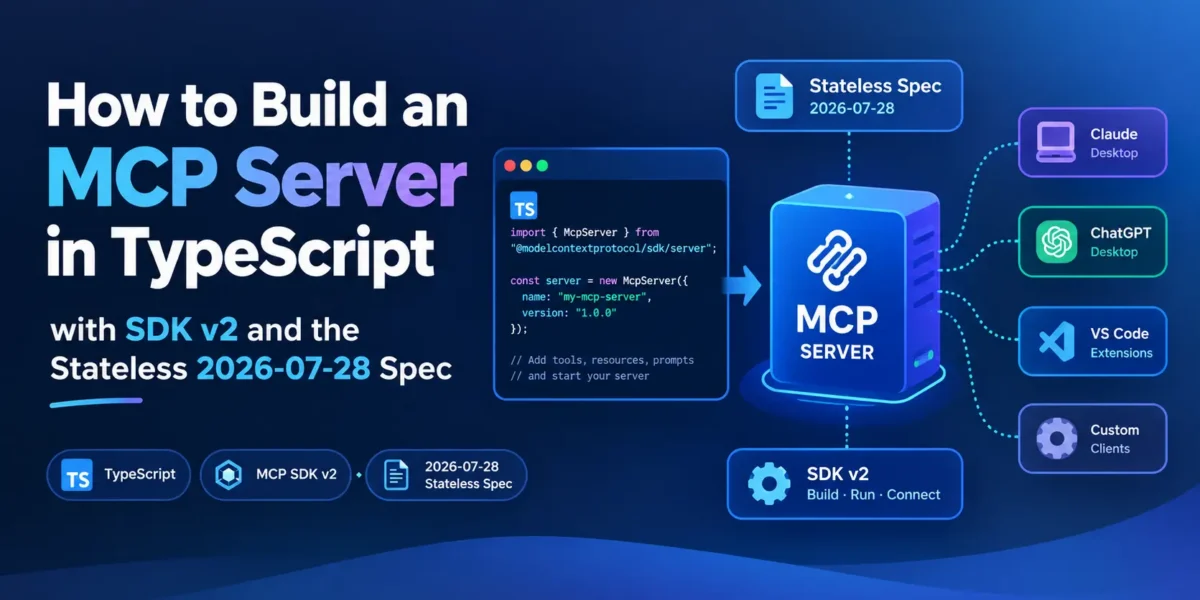
The Model Context Protocol (MCP) changed more in its 2026-07-28 revision than in any update since remote servers arrived. The protocol is now stateless: there is no initialize handshake and no Mcp-Session-Id header, so an MCP server can sit behind an ordinary load balancer like any other HTTP API. At the same time, the official TypeScript SDK moved to a new v2 line, split into separate packages, with a different way to serve HTTP.
Most MCP tutorials online still use the old @modelcontextprotocol/sdk package and the v1 APIs. This guide builds a small but useful server with the current SDK (v2.3.0 of @modelcontextprotocol/server, released on 2 October 2026), runs it over both stdio and HTTP, and tests it with a client that speaks the new protocol version.
What changed in the 2026-07-28 spec, briefly
You don’t need to know the whole spec to write a server, but these changes affect how you build one:
- Stateless core. Each request carries its own protocol version, client info and capabilities in
_meta. Any server instance can answer any request, so you no longer need sticky sessions or a shared session store. - No more session IDs. If your tools relied on per-session state, the spec’s recommended replacement is an explicit handle: a tool returns an ID, and the model passes it back as an argument in later calls.
- Routing headers. HTTP requests now include
Mcp-MethodandMcp-Nameheaders, so gateways, rate limiters and WAFs can route or meter traffic without parsing the JSON body. - Optional discovery. A new
server/discovercall lets a client learn a server’s capabilities up front. - Multi round-trip requests. When a tool needs input mid-call (a confirmation, a missing value), the server returns a result marked
input_requiredand the client retries with answers, instead of the server holding a stream open. - Cacheable lists. Results from
tools/list,prompts/list,resources/listandresources/readcan carryttlMsandcacheScopehints. - Deprecations with a 12-month window. Roots, Sampling, Logging and the legacy HTTP+SSE transport are deprecated but still work. On the auth side, Client ID Metadata Documents replace Dynamic Client Registration as the standard approach.
The TypeScript, Python, Go and C# SDKs all support the new revision. Rust support was in beta at the time of the announcement.
What changed in the TypeScript SDK v2
The single @modelcontextprotocol/sdk package from v1 has been split up. For a server you now install @modelcontextprotocol/server, and for a client @modelcontextprotocol/client. HTTP integration lives in small adapter packages: @modelcontextprotocol/node for Node’s built-in http module, plus adapters for Express, Fastify and Hono.
The old server.tool() shorthand is gone; tools are registered with registerTool(). Zod 4 is the schema library used in the docs, imported as zod/v4, though the SDK accepts any Standard Schema compatible library. The v1 package is still maintained (it was at 1.32.0 when this was written), so existing servers don’t break overnight, but new projects should start on v2.
The project: an npm package lookup server
The example server exposes one tool, npm_package_info, that returns the latest version, licence, publish date and description of any npm package. It’s small enough to read in one sitting, and it’s useful: AI coding assistants regularly suggest outdated package versions, and a tool like this lets the model check the registry instead of guessing.
You need Node.js 20 or newer (the SDK’s minimum). Set up the project:
mkdir npm-info-mcp && cd npm-info-mcp
npm init -y
npm pkg set type=module
npm install @modelcontextprotocol/server @modelcontextprotocol/node @modelcontextprotocol/client zod
npm install -D typescript tsx @types/node
Add a tsconfig.json. Note the "types": ["node"] entry: the SDK’s README points out that TypeScript 6.0 and later no longer include @types/* packages automatically, and the SDK’s type definitions reference Node’s Buffer.
{
  "compilerOptions": {
    "target": "ES2023",
    "module": "NodeNext",
    "moduleResolution": "NodeNext",
    "strict": true,
    "types": ["node"],
    "noEmit": true,
    "skipLibCheck": true
  }
}
Step 1: define the server once
Put the server definition in its own file, exported as a factory function. Both transports will reuse it, and the stateless HTTP handler needs a factory anyway.
// src/server.ts
import { McpServer } from '@modelcontextprotocol/server';
import * as z from 'zod/v4';

export function createServer() {
  const server = new McpServer({ name: 'npm-info', version: '1.0.0' });

  server.registerTool(
    'npm_package_info',
    {
      description: 'Get the latest version, licence and last publish date of an npm package',
      inputSchema: z.object({
        name: z.string().describe('Package name, e.g. "react" or "@angular/core"'),
      }),
    },
    async ({ name }) => {
      const res = await fetch(`https://registry.npmjs.org/${name.replace('/', '%2F')}`);
      if (!res.ok) {
        return {
          isError: true,
          content: [{ type: 'text', text: `npm registry returned ${res.status} for "${name}"` }],
        };
      }
      const pkg: any = await res.json();
      const latest = pkg['dist-tags']?.latest;
      const summary = {
        name: pkg.name,
        latest,
        license: pkg.versions?.[latest]?.license ?? 'unknown',
        published: pkg.time?.[latest],
        description: pkg.description,
      };
      return { content: [{ type: 'text', text: JSON.stringify(summary, null, 2) }] };
    },
  );

  return server;
}
Two details are worth copying into your own tools. The .describe() text on each input field ends up in the JSON Schema the model sees, so write it for the model, with an example. And failures are returned as a normal result with isError: true rather than thrown, which lets the model read the error and try again (for example, after fixing a typo in the package name).
Step 2: run it over stdio
Stdio is the simplest transport: the client starts your server as a child process and talks to it over standard input and output. This is what you use for a tool that runs on a developer’s own machine.
// src/stdio.ts
import { StdioServerTransport } from '@modelcontextprotocol/server/stdio';
import { createServer } from './server.js';

const server = createServer();
await server.connect(new StdioServerTransport());
console.error('npm-info MCP server running on stdio');
Note the console.error. On stdio, standard output carries the protocol messages, so anything you print there with console.log corrupts the stream. Log to standard error instead.
To use it from Claude Code, register the command (use the absolute path to your project):
claude mcp add --transport stdio npm-info -- npx tsx /path/to/npm-info-mcp/src/stdio.tsOther MCP clients use a similar command-plus-arguments configuration. For manual testing without any AI client, the official MCP Inspector (npx @modelcontextprotocol/inspector) opens a web UI where you can connect to a server and call its tools by hand. Its current v2 line needs Node.js 22.19 or newer, and its command-line flags changed from v1, so check its README rather than older tutorials.
Step 3: serve it over HTTP, statelessly
For a server that other people or other machines will use, you want HTTP. This is where v2 differs most from older tutorials. Instead of creating a transport and managing session IDs yourself, you pass your factory to createMcpHandler(), which builds a fresh McpServer for each request. The result is a web-standard fetch-style handler; on Node you wrap it with toNodeHandler().
// src/http.ts
import { createServer as createHttpServer } from 'node:http';
import { createMcpHandler } from '@modelcontextprotocol/server';
import {
  toNodeHandler,
  localhostHostValidation,
  localhostOriginValidation,
} from '@modelcontextprotocol/node';
import { createServer } from './server.js';

// A fresh McpServer per request: no sessions, nothing shared between requests.
const mcp = toNodeHandler(createMcpHandler(createServer));
const validHost = localhostHostValidation();
const validOrigin = localhostOriginValidation();

createHttpServer((req, res) => {
  if (!validHost(req, res) || !validOrigin(req, res)) return;
  if (req.url !== '/mcp') {
    res.writeHead(404).end();
    return;
  }
  mcp(req, res);
}).listen(3000, '127.0.0.1', () => console.log('MCP endpoint: http://127.0.0.1:3000/mcp'));
The Host and Origin checks matter. A local MCP server without them can be reached by a malicious web page through DNS rebinding. The app factories in the Express, Fastify and Hono adapters (such as createMcpExpressApp()) apply equivalent guards by default; with plain node:http you add them yourself, as above. When you deploy publicly, swap the localhost helpers for hostHeaderValidation() and originValidation() with your real hostnames, and put authentication in front.
On Cloudflare Workers, Deno or Bun you don’t need the Node adapter at all: the handler returned by createMcpHandler() can be the module’s default export.
Older clients still work. By default the handler also serves 2025-era clients (the ones that send initialize) from the same factory, statelessly, so you don’t have to run two servers during the transition.
Step 4: test with a client that speaks the new protocol
This catches people out: the v2 client still defaults to the 2025-era handshake. To use the 2026-07-28 protocol you opt in with versionNegotiation. In 'auto' mode the client first sends server/discover, uses the new protocol if the server supports it, and falls back to initialize if it doesn’t. You can also pin a version with { pin: '2026-07-28' }, which fails instead of falling back.
// src/client.ts
import { Client, StreamableHTTPClientTransport } from '@modelcontextprotocol/client';

const client = new Client(
  { name: 'test-client', version: '1.0.0' },
  { versionNegotiation: { mode: 'auto' } },
);
await client.connect(new StreamableHTTPClientTransport(new URL('http://127.0.0.1:3000/mcp')));
console.log('Protocol:', client.getProtocolEra(), client.getNegotiatedProtocolVersion());

const { tools } = await client.listTools();
console.log(tools.map((t) => t.name));

const result = await client.callTool({ name: 'npm_package_info', arguments: { name: 'zod' } });
console.log(result.content);
await client.close();
Start the server with npx tsx src/http.ts, then run npx tsx src/client.ts in another terminal. You should see Protocol: modern 2026-07-28, the tool list, and a JSON summary of the zod package. If you log the incoming headers on the server, you’ll see the new routing headers in action: Mcp-Method: tools/call with Mcp-Name: npm_package_info, and no session ID on any request. Remove the versionNegotiation option and the same client falls back to the 2025-11-25 handshake, which the server also accepts.
Migrating an existing v1 server
If you already have a server on @modelcontextprotocol/sdk, the SDK team publishes a codemod that handles most of the mechanical changes, such as package names and import paths:
npx @modelcontextprotocol/codemod@latest v1-to-v2 .The codemod won’t redesign your server for statelessness. The manual work is mostly about state: anything you stored per session (a database connection chosen by the user, a working directory, a shopping cart) has to move into explicit handles that tools return and accept, or into storage keyed by something the client sends on every request. If your HTTP server created a transport per session and kept them in a map, that code can usually be deleted in favour of createMcpHandler().
Also check whether you use features that are now deprecated. Sampling, Roots and Logging still work during the 12-month window, but new servers shouldn’t depend on them.
Where to go next
This server has one tool, but the same McpServer object has registerResource() for read-only data the client can attach as context, and registerPrompt() for reusable prompt templates. Sensible next steps for a real project are to add an outputSchema so clients get structured results, add bearer-token authentication before exposing the HTTP endpoint beyond localhost, and cache registry responses so a chatty agent doesn’t hammer an upstream API.
My recommendation for anyone starting now is to build on v2 and serve over HTTP with createMcpHandler() from day one, even if you only use stdio at first. A stateless server is easier to test and deploy, and because the handler also serves 2025-era clients, you don’t have to choose between old and new clients during the transition.
Sources: MCP Blog: The 2026-07-28 Specification, MCP TypeScript SDK on GitHub, TypeScript SDK v2: Serving over HTTP, TypeScript SDK v2 migration guide, @modelcontextprotocol/server on npm, @modelcontextprotocol/node on npm, Claude Code docs: Connect to MCP servers