Google released Gemini 3.1 Pro on 19 February 2026. It’s an update to Gemini 3 Pro rather than a new generation, but the benchmark jump on abstract reasoning was big enough to get a lot of attention. This post collects the verified numbers from Google’s official model card, explains what they do and don’t mean, and covers pricing and API usage for developers deciding whether to try it.
The headline numbers
From Google DeepMind’s model card (scores as of February 2026):
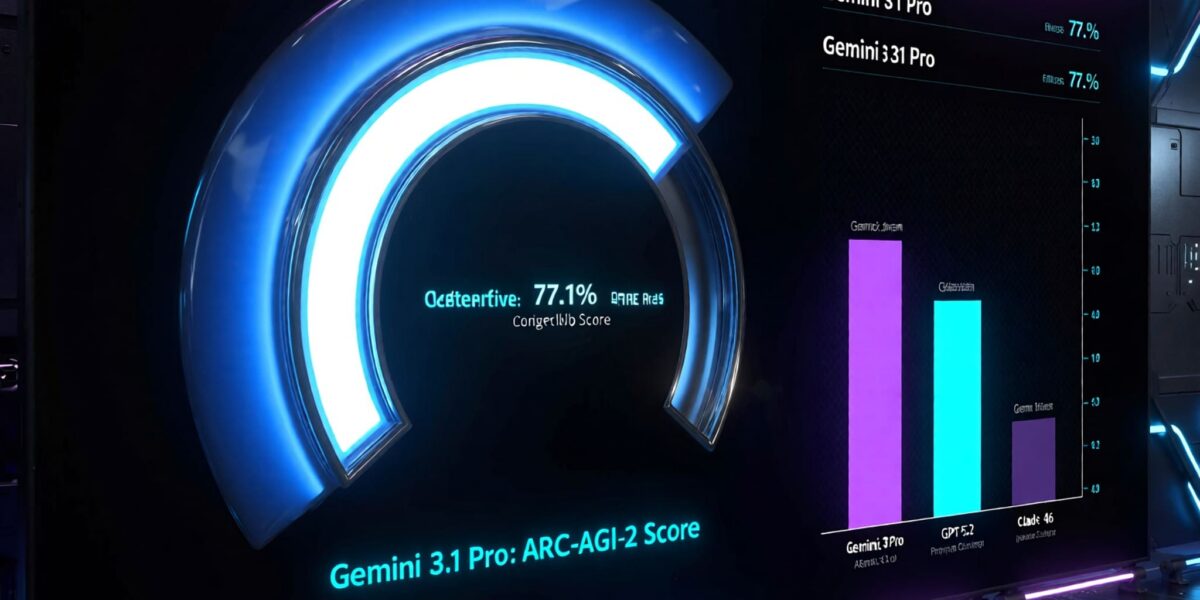
- ARC-AGI-2: 77.1%
- GPQA Diamond (graduate-level science questions): 94.3%
- SWE-bench Verified (fixing real GitHub issues): 80.6%
- Humanity’s Last Exam (text and multimodal, no tools): 44.4%
- LiveCodeBench Pro: 2887 Elo
- MMMLU (multilingual knowledge): 92.6%
- MRCR v2 at 128K context (multi-needle retrieval): 84.9%
The ARC-AGI-2 score got the most coverage, and for good reason. ARC-AGI is built around small visual puzzles that each require spotting a new rule from a few examples. It’s designed to reward generalisation rather than memorisation, and earlier frontier models scored far lower on version 2.
How to read these benchmarks
Benchmarks are useful signals and poor predictions. A few things to keep in mind:
- They’re vendor-reported. These are Google’s numbers with Google’s settings. Independent evaluations sometimes land lower, especially under different prompting or tool configurations.
- They measure specific skills. A great ARC-AGI-2 score says the model is good at a certain kind of pattern induction. It doesn’t directly tell you whether it’ll write better Angular components or summarise your support tickets more accurately.
- Settings matter. Many top scores use the highest reasoning effort, which costs more and takes longer than the defaults you’ll probably use in production.
The honest takeaway: Gemini 3.1 Pro is clearly a strong frontier model and worth testing, but your own evaluation on your own tasks is the only benchmark that decides whether to switch.
Context and output limits
Gemini 3.1 Pro accepts up to 1 million input tokens and produces up to 64K output tokens. It takes text, images, audio, video and code repositories as input, and outputs text.
The larger output limit is practical. It means you can ask for long generated files, full reports or large refactors in one response instead of stitching several together. Just remember that long outputs are expensive and slow, and huge single responses are harder to review.
Pricing
At launch, Gemini 3.1 Pro in preview was priced per million tokens as follows (check Google’s pricing page for current rates, since preview pricing can change):
- prompts up to 200K tokens: $2 input, $12 output,
- prompts over 200K tokens: $4 input, $18 output.
Two things catch people out. First, the higher rate applies to the whole request once you cross 200K tokens, so a 250K-token prompt costs noticeably more per token than a 150K one. Second, reasoning (“thinking”) tokens are billed as output. A high reasoning setting can add a lot of output tokens you never see in the final answer, so monitor the usage metadata rather than estimating from response length.
Controlling reasoning effort
Gemini 3-series models expose a thinking_level setting that controls how much internal reasoning the model does before answering. Gemini 3.1 Pro supports low, medium and high levels. Lower levels are faster and cheaper, and higher levels help on genuinely hard problems. A minimal Python call with the Google Gen AI SDK looks like this (confirm the exact model ID and parameter names in the current docs, since preview names change):
from google import genai
from google.genai import types

client = genai.Client()  # reads GEMINI_API_KEY from the environment

response = client.models.generate_content(
    model="gemini-3.1-pro-preview",
    contents="Review this function for concurrency bugs:\n\n" + source_code,
    config=types.GenerateContentConfig(
        thinking_config=types.ThinkingConfig(thinking_level="medium")
    ),
)

print(response.text)
print(response.usage_metadata)  # includes thinking token counts
A sensible default is to start at medium for general work, drop to low for high-volume simple tasks like classification or extraction, and reserve high for hard reasoning where you’ve confirmed it actually improves results.
Where you can use it
According to the model card, Gemini 3.1 Pro is available through the Gemini API and Google AI Studio, Vertex AI on Google Cloud, Gemini Enterprise, the Gemini app, NotebookLM and Google Antigravity. For production workloads with data residency or compliance needs, Vertex AI is usually the route companies take.
How it compares
Side-by-side comparisons go stale quickly, because every lab ships updates every few months. At launch, Gemini 3.1 Pro’s reported numbers put it at or near the top on reasoning and science benchmarks, and competitive on coding, where OpenAI’s and Anthropic’s latest models were also strong. In practice, teams often find that the “best” model differs by task: one model may be better at agentic coding in their repository, another at long-document analysis, another on cost.
If you’re choosing, the practical approach is:
- Collect 30 to 50 real examples from your workload, with known good answers.
- Run them against two or three candidate models at comparable reasoning settings.
- Score quality, latency and cost per task, not just accuracy.
- Keep the evaluation set and rerun it when new versions come out. They will.
Safety notes from the model card
Google reports that under its Frontier Safety Framework testing, Gemini 3.1 Pro stayed below the critical capability thresholds it tracks in areas such as chemical and biological risk, cyber, harmful manipulation, machine-learning research and misalignment. As with all model cards, that’s the developer’s own assessment, but it’s useful to know what was tested.
Should you try it?
If you already use Gemini models, 3.1 Pro is an easy upgrade to test, especially for reasoning-heavy or long-context work. If you’re on another provider, the benchmark results justify adding it to your evaluation set, particularly given the pricing. Just test it on your real tasks at the reasoning level you’d actually pay for, and watch thinking-token usage closely in the first weeks.
Practical tips for a first test
- Start with the preview in AI Studio. Trying your real prompts in Google AI Studio costs nothing to set up and quickly shows whether the model handles your tasks well.
- Log token usage from day one. Record input, output and thinking tokens per request, so you can compare the real cost with your current model rather than relying on list prices.
- Watch the 200K boundary. If your prompts regularly approach it, trimming context (for example, sending only the relevant files rather than a whole repository) can keep you in the cheaper tier.
- Plan for model ID changes. Preview models are often renamed or replaced when they become generally available. Keep the model ID in configuration, not scattered through your code.
Related reading
- Claude’s 1M Token Context: What It Costs and How to Use It
- Learn Machine Learning Visually: Free Interactive Tools
- How GPT-5.2 Helped Solve a Decades-Old Physics Puzzle
Source: Google DeepMind, Gemini 3.1 Pro model card. Pricing as listed at launch. Verify current rates on Google’s pricing page.