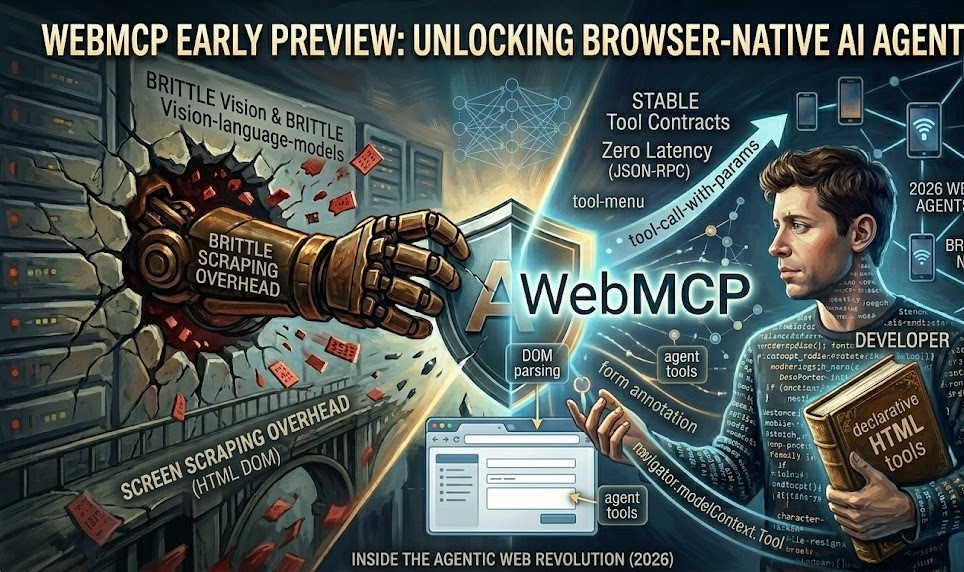
AI agents that browse the web on your behalf have an awkward problem: websites were built for people. An agent booking a flight has to read the page, often from a screenshot, work out which box is the departure date, guess which button submits the search, and hope the layout doesn’t change next week. It works surprisingly often, but it’s slow, expensive and fragile.
WebMCP is a proposal to fix that from the website’s side. Instead of making agents guess, a site describes the actions it supports, such as “search flights” or “add to cart”, as structured tools that an in-browser agent can call directly. In February 2026, Google opened an early preview of WebMCP in Chrome. Here’s what it is, how the API looks, and whether it’s worth your time yet.
Where WebMCP comes from
The name borrows from the Model Context Protocol (MCP), the open standard Anthropic introduced in 2024 for connecting AI models to tools and data. MCP servers usually run as separate processes or remote services. WebMCP brings the same idea into the web page: the page itself provides the tools, using JavaScript that runs in the browser, alongside the normal user interface.
The proposal is being developed in the open in the W3C’s Web Machine Learning Community Group, with contributions from browser engineers including at Google and Microsoft. A community group isn’t the formal standards track, so this is still an incubating proposal, not a finished web standard.
Why a website would want this
- Reliability: a tool called
search_flightswith typed parameters doesn’t break when you redesign the page. - Speed and cost: an agent calling a function uses far fewer steps and tokens than one taking screenshots and clicking around.
- Control: you decide exactly which actions agents can take, and with what inputs, rather than agents poking at any button they find.
- Same session, same rules: tools run in the page, with the user’s existing login and your existing client-side logic, so there’s no separate API or credentials to manage.
Google’s announcement highlighted use cases like customer support (filling in the technical details of a support ticket), e-commerce (finding products and moving through checkout) and travel (searching, filtering and booking).
The two APIs
WebMCP proposes two ways to expose tools: a declarative one using HTML, and an imperative one using JavaScript.
Declarative: annotate your forms
Many useful actions on a website are already forms. The declarative API adds a few attributes so the browser can turn a form into a tool automatically. This example is from the project’s declarative API explainer:
<form toolname="search-cars"
      tooldescription="Perform a car make/model search">
  <input type="text" name="make"
         toolparamdescription="The vehicle's make (i.e., BMW, Ford)" required>
  <input type="text" name="model"
         toolparamdescription="The vehicle's model (i.e., 330i, F-150)" required>
  <button type="submit">Search</button>
</form>
The attributes are:
toolname: the tool’s name, as the agent sees it.tooldescription: what the tool does and when to use it. Write this for a model, clearly and specifically.toolparamdescription: on each input, what that parameter means.toolautosubmit: a boolean that lets the agent submit the form without the user reviewing it first. Leave it off for anything consequential.
The input names, types and required flags become the tool’s parameter schema, so a well-built form is already most of the way there.
Imperative: register tools in JavaScript
For actions that aren’t simple forms, such as filtering a product list or updating app state, you register a tool with a name, a description, a JSON Schema for its input and a function to run. The current explainer’s example:
const controller = new AbortController();

await document.modelContext.registerTool({
  name: "add-todo",
  description: "Add a new item to the user's active todo list",
  inputSchema: {
    type: "object",
    properties: {
      text: { type: "string", description: "The text content of the todo item" }
    },
    required: ["text"]
  },
  async execute({ text }) {
    await addTodoItemToCollection(text);
    return {
      content: [{ type: "text", text: `Added todo item: "${text}" successfully.` }]
    };
  }
}, { signal: controller.signal });

// Later, to remove the tool (for example when the view changes):
controller.abort();
The return value follows MCP’s content format, so agents that already understand MCP tool results can read it. Registering and removing tools as the page changes means an agent sees only the actions that make sense right now. A checkout tool, for example, might only exist on the cart page.
One caution: the API surface is still changing. Earlier drafts and many early articles, including the first version of this post, used navigator.modelContext. The current explainer uses document.modelContext. Check the latest explainer and Chrome’s preview documentation before you write code against it.
How to try it
- Join the early preview program. Google’s announcement directs developers to its early preview sign-up, which gives access to documentation and demos.
- Use a recent Chrome build with the feature enabled. Early reports placed the preview in Chrome 146 behind a testing flag in
chrome://flags. The preview documentation has the current details. - Start with one read-only tool. A site search is ideal: low risk, clearly useful, and easy to check.
- Test with an agent. Use the testing tools in the preview to confirm the agent finds your tool, understands the description and passes sensible parameters.
Security and design considerations
Letting software act inside a logged-in session deserves care, and WebMCP doesn’t remove the need for it:
- Tools run with the user’s permissions. Anything a tool can do, it does as the signed-in user. Validate inputs in
executeexactly as you would for a form submission, and keep server-side checks in place. - Keep humans in the loop for consequential actions. Purchases, deletions and messages should require the user’s confirmation. The explainer discusses mechanisms for requesting user interaction during a tool call, and
toolautosubmitis opt-in for a reason. - Beware of prompt injection. Tool descriptions and results are read by a model. Don’t return untrusted user-generated content as if it were instructions, and assume other content on the page may try to steer the agent.
- Expose less, not more. Start with a small set of well-described tools. Every tool is new attack surface.
Should you build for it now?
It depends on your site. WebMCP is an early-stage proposal in one browser’s preview programme. The API may change, other browsers haven’t committed to it, and very few users have agents that use it yet.
That said, a few low-cost steps make sense for most sites regardless:
- Make sure your key forms use proper labels, input types and
requiredattributes. That helps accessibility and existing agents today, and it’s most of the work for the declarative API. - Think about which three or four actions on your site an agent would most usefully perform, and how you’d describe them.
- If you run e-commerce, travel or support sites, join the preview and experiment on a staging site.
If agents do become a common way people use the web, sites that describe their actions clearly will work better with them than sites that force agents to guess. WebMCP is the most concrete attempt so far to make that description a web standard.
Related reading
- Agentic AI in 2026: What Actually Works
- The CRAB Benchmark Explained
- Open-Source CLI Coding Agents Compared
Sources: Chrome for Developers: WebMCP early preview, WebMCP explainer (W3C WebML CG), Declarative API explainer, Model Context Protocol.