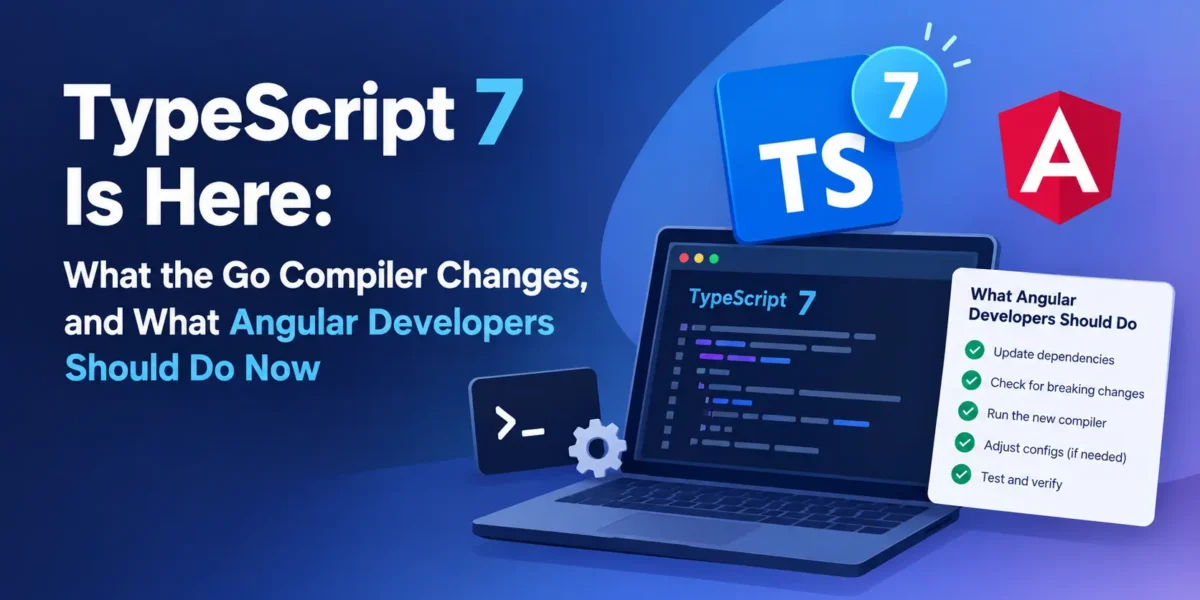
TypeScript 7.0 came out on 8 July 2026, and it’s the biggest change to the language’s tooling since TypeScript itself launched. The compiler has been rewritten in Go, and Microsoft reports full builds running 8 to 12 times faster. On the VS Code codebase, a full build went from about two minutes to about ten seconds.
That sounds like an easy upgrade. For many projects it is. But TypeScript 7 also removes a long list of old options, changes several defaults, and ships without the programmatic API that many tools depend on. If you work with Angular, that last point matters a lot. This post covers what changed, what might break, and a practical upgrade plan, including what Angular developers should do right now.
What actually changed
The headline is the native compiler. According to Microsoft’s announcement, TypeScript 7 is a port of the existing compiler to Go, not a new language. Your types and code mean the same thing. What changes is how fast they’re checked.
The numbers Microsoft published are striking:
- Full builds are 8 to 12 times faster across the projects they tested, including VS Code (11.9x), Sentry (8.9x), Playwright (8.7x) and tldraw (7.7x).
- Opening a large project in the editor dropped from 17.5 seconds to 1.3 seconds on the VS Code codebase.
- Memory use went down by 6 to 26 percent.
InfoQ’s coverage adds a production example: Slack reported CI type-checking dropping from about 7.5 minutes to 1.25 minutes.
The command is still tsc, and you install it the usual way with npm install -D typescript. There are also new flags for controlling parallelism: --checkers (four type-checking workers by default), --builders for building project references in parallel, and --singleThreaded if you need to turn parallelism off, for example on a small CI runner.
What was removed
TypeScript 6.0 deprecated a batch of legacy options. TypeScript 7 removes them. If your tsconfig.json uses any of these, the build will fail:
target: "ES5"is no longer supported, anddownlevelIterationis gone with it.moduleResolution: "node"(also callednode10) and"classic"are removed. Use"nodenext"for Node.js projects or"bundler"for apps built with Vite, esbuild or webpack.- AMD, UMD and SystemJS module outputs are removed.
baseUrlis removed. Path aliases inpathsnow need to be written relative to the tsconfig file.esModuleInteropandallowSyntheticDefaultImportscan no longer be set tofalse, andalwaysStrictis always on.
Some defaults also changed. New projects now get strict: true, module: "esnext" and types: [] by default. That last one is easy to miss: if you relied on TypeScript automatically picking up every @types package, you’ll now need to list the ones you use, such as "types": ["node", "jest"].
A typical tsconfig migration
Here’s a common older configuration and what it looks like after the changes:
// Before (works in TypeScript 5.x)
{
  "compilerOptions": {
    "target": "ES5",
    "module": "commonjs",
    "moduleResolution": "node",
    "baseUrl": "./src",
    "paths": { "@app/*": ["app/*"] },
    "esModuleInterop": false
  }
}

// After (TypeScript 6/7 compatible)
{
  "compilerOptions": {
    "target": "ES2022",
    "module": "esnext",
    "moduleResolution": "bundler",
    "paths": { "@app/*": ["./src/app/*"] },
    "types": ["node"],
    "strict": true
  }
}
For a Node.js backend that runs without a bundler, use "module": "nodenext" and "moduleResolution": "nodenext" instead of esnext and bundler.
The catch: no programmatic API yet
This is the part that affects most real projects. TypeScript 7.0 doesn’t ship with a programmatic API. Microsoft says it’s planned for 7.1. That matters because a lot of tools don’t run tsc at all. They import TypeScript as a library and call its API directly.
According to InfoQ, tools that can’t use TypeScript 7 yet include typescript-eslint, ts-jest, ts-node, webpack loaders, and the tooling for Vue, Svelte, Astro, MDX and Angular. Microsoft’s announcement also notes that editor support for embedded languages, such as Angular templates and Vue single-file components, isn’t complete yet.
The good news is that you don’t have to choose. Microsoft publishes @typescript/typescript6, which gives you the TypeScript 6.0 API and a tsc6 binary, so the two versions can live side by side.
Running TypeScript 6 and 7 side by side
The Nx documentation describes a clean way to do this with npm aliases:
{
  "devDependencies": {
    "@typescript/native": "npm:typescript@^7.0.2",
    "typescript": "npm:@typescript/typescript6@^6.0.2"
  }
}
With this setup, anything that does import ts from "typescript" (ESLint plugins, test runners, framework tooling) still gets TypeScript 6.0 and keeps working. Meanwhile, the native tsc binary from TypeScript 7 is available for fast type-checking. You can confirm both are installed:
npx tsc --version    # TypeScript 7.x
npx tsc6 --version   # TypeScript 6.x
A practical use of this setup is to keep your build pipeline on the tools you already have and add a fast type-check step in CI:
"scripts": {
  "typecheck": "tsc --noEmit -p tsconfig.json",
  "lint": "eslint ."
}
That alone can save minutes on every pull request in a large codebase.
What Angular developers should do right now
Angular is one of the frameworks most affected, because the Angular compiler works by plugging into TypeScript’s compilation process through its transformer API. The Go compiler doesn’t expose that.
On 25 September 2026, the Angular team published an update on its TypeScript 7 plans. The short version:
- The current Angular compiler can’t use TypeScript 7’s Go compiler directly, because it depends on the
ts.TransformerAPI. - The team is building a new compiler, called the Angular Preprocessor (ngp), which uses a Rust front end based on the oxc project together with TypeScript for type-checking.
- It’s being tested against Google’s large internal collection of Angular apps, with prototypes for CLI and language service integration.
- An experimental version is targeted for later in 2026. No stable Angular version has been announced for it yet.
So for Angular projects, my recommendation is:
- Stay on the TypeScript version your Angular release supports. Check the version compatibility table in the Angular docs before changing anything.
ng updatewill warn you if the version is unsupported. - Clean up your tsconfig now. Remove
baseUrl, switch tomoduleResolution: "bundler"and make sure you’re not relying on removed options. These changes already apply in TypeScript 6, and doing them now makes the eventual move painless. - Consider a native type-check step for plain TypeScript. Non-template code, such as shared libraries in a monorepo, can often be type-checked with TypeScript 7 alongside the normal Angular build.
- Watch for the ngp experimental release and try it on a branch before planning a migration.
An upgrade plan for everyone else
If you work on Node.js services, libraries or React apps, this is a sensible order:
- Upgrade to TypeScript 6.0 first. Microsoft recommends this as the bridge. It turns the old deprecations into errors, so you’ll find the problems while everything else still works.
- Fix the removed options using the list above. Most projects only need a few tsconfig changes.
- Add TypeScript 7 alongside 6 using the alias approach, and use the native
tscfor--noEmittype-checking in CI. - Measure the speed-up on your own project. Gains vary with project size and structure.
- Move fully to 7.x once your linter, test runner and framework support the new API, expected from 7.1.
Is it worth upgrading now?
For type-checking speed, yes, especially on large codebases or slow CI. The side-by-side setup means you get most of the benefit without breaking tools that aren’t ready.
For a full switch, it depends on your stack. Plain TypeScript projects using tsc can move now. Projects that depend on typescript-eslint, ts-jest or framework compilers like Angular’s should wait for 7.1 and for their tools to catch up. There’s no rush: TypeScript 6 remains fully usable in the meantime.
The main thing to do today is housekeeping. Clean up your tsconfig, stop relying on removed options, and your eventual move to the fast compiler will be a one-line change.
Sources: Microsoft: Announcing TypeScript 7.0, InfoQ, Angular Blog: An update on Angular’s TypeScript 7-powered compiler, Nx: Use TypeScript 7.0 alongside TypeScript 6.0.