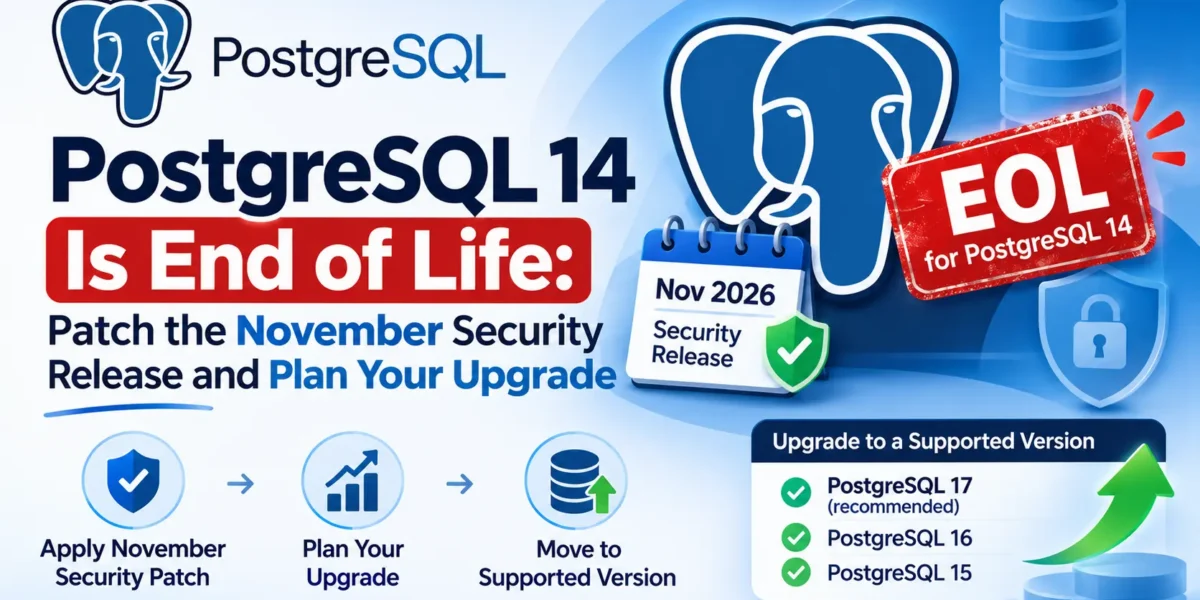
On November 12, 2026 the PostgreSQL Global Development Group shipped 18.7, 17.12, 16.16, 15.20 and 14.25. The release fixes 52 security vulnerabilities and more than 140 other bugs, and it is the last one PostgreSQL 14 will ever get. From now on, a 14 server receives no security fixes, no matter what turns up next.
That makes this two jobs in one. First, patch every server you run, because this batch is unusually large and several fixes need follow-up work after the binaries are swapped. Second, if any of those servers is on 14, start planning the major upgrade now rather than when the next CVE lands. This guide covers both, with the SQL and commands you need.
What is in the November release
The headline number is the vulnerability count. According to the official announcement, many of the 52 CVEs are memory-safety and type-confusion bugs that let an authenticated user execute arbitrary code as the database server; Help Net Security counted 32 of them at a CVSS score of 8.8. The affected areas are broad:
- Procedural languages: several use-after-free and type-confusion bugs in PL/Perl, plus one in PL/Tcl and one in PL/pgSQL record handling.
- Core SQL features:
ALTER ... SET DATA TYPE, parallel query, min/max aggregates, composite types, transition tables and the type cache. - Text search: heap buffer overflows in
ts_rank_cd()andtsvector_delete(). - Replication and extensions: logical replication could write to subscriber system catalogs,
dblinkand subscriptions could append to arbitrary files, and extension scripts could be abused for SQL injection through object names. - Row-level security:
INSERT ... ON CONFLICTcould read rows that RLS policies should hide, andDROP OWNEDcould remove restrictive policies from tables the role did not own. - Client tools:
pg_dumphad a SQL injection through not-null constraint names, the restore script in tar-format dumps did not block psql meta-commands,pg_restoredid not validate non-plain archives, andreindexdbquoted index names incorrectly.
The client-tool bugs matter more than they first appear. If other people can create objects in your databases (a multi-tenant setup, a shared staging server, a customer-facing SQL feature), a crafted object name could turn your next backup or maintenance script into an attack. Updating the server alone does not fix that; the pg_dump, pg_restore, psql and reindexdb binaries on your backup hosts, CI runners and laptops need the update too.
Most of these bugs require an authenticated connection, so a database that only your application can reach is less exposed than one with many human or tenant logins. Each CVE has its own page under the PostgreSQL security site with the affected versions.
Step 1: apply the minor update
Minor releases are cumulative and do not change the on-disk format, so there is no dump, reload or pg_upgrade. You stop the server, install the new binaries and start it again. Check where you are first:
SHOW server_version;The target versions are 18.7, 17.12, 16.16, 15.20 or 14.25. On Debian or Ubuntu with the PGDG repository that is an ordinary apt update && apt upgrade; with the official Docker image it means pulling the new tag and recreating the container. If you pin a full version such as postgres:17.11 in a Compose file, bump the pin. If you use a managed service, check your provider’s maintenance schedule, because providers roll out minor versions on their own timetable.
Step 2: the post-update checklist
This is the part people skip. Several of the bug fixes stop new damage but cannot repair indexes that were already built incorrectly. The announcement lists these follow-up steps.
pg_trgm GiST indexes
If you use pg_trgm for fuzzy search, any GiST index using the gist_trgm_ops operator class needs a rebuild after updating, because earlier versions could create corrupted entries that make searches miss matching rows. This query finds them:
SELECT i.indexrelid::regclass AS index_name,
       i.indrelid::regclass  AS table_name
FROM pg_index i
JOIN pg_opclass oc ON oc.oid = ANY (i.indclass::oid[])
WHERE oc.opcname = 'gist_trgm_ops';
B-tree indexes on bpchar without a length
B-tree deduplication is now disabled for columns declared with the bare bpchar type, because it could make index-only scans return wrong results. Columns declared as char(n) are not affected. To find candidate indexes:
SELECT DISTINCT i.indexrelid::regclass AS index_name,
       i.indrelid::regclass AS table_name
FROM pg_index i
JOIN pg_class c  ON c.oid = i.indexrelid
JOIN pg_am am    ON am.oid = c.relam AND am.amname = 'btree'
JOIN pg_attribute a ON a.attrelid = i.indrelid
                   AND a.attnum = ANY (i.indkey::int2[])
WHERE a.atttypid = 'bpchar'::regtype
  AND a.atttypmod = -1;
This only checks plain column indexes, not expression indexes, so review those by hand if you have any over bpchar values.
GIN indexes and “missing chunk number” errors
Several GIN fixes address corruption that could make queries miss rows or return unrelated ones. The project’s advice is to reindex a GIN index if you suspect it is affected. If you are unsure, list them and rebuild the ones behind important queries (full-text search, jsonb containment, array lookups):
SELECT i.indexrelid::regclass AS index_name,
       i.indrelid::regclass  AS table_name
FROM pg_index i
JOIN pg_class c ON c.oid = i.indexrelid
JOIN pg_am am   ON am.oid = c.relam
WHERE am.amname = 'gin';
Separately, if any table has thrown missing chunk number errors, run REINDEX TABLE on it, which also rebuilds its TOAST index.
On a live system, use the concurrent form so writes are not blocked while the index rebuilds:
REINDEX INDEX CONCURRENTLY public.products_name_trgm_idx;Incremental backups and partitioned tables
If you use the incremental backup feature added in PostgreSQL 17, take a fresh full backup after updating and base future incrementals on it, because several of the fixed bugs could produce corrupt incremental backups. On PostgreSQL 18, also check for NOT NULL NO INHERIT constraints on partitioned tables, which are now disallowed because they could let NULL values into a partition:
SELECT conrelid::regclass, conname
FROM pg_constraint
WHERE contype = 'n' AND connoinherit
  AND conrelid IN (SELECT oid FROM pg_class WHERE relkind = 'p');
The announcement explains how to drop or repair any that turn up. If you skipped earlier minor releases, read their release notes too; post-update steps from those versions still apply.
Step 3: plan your way off PostgreSQL 14
PostgreSQL supports each major version for five years, then ships one final minor release. For 14 that release is 14.25. Here is where every supported branch stands, according to the project’s versioning page:
| Version | Current minor | First released | Final release |
|---|---|---|---|
| 18 | 18.7 | September 25, 2025 | November 14, 2030 |
| 17 | 17.12 | September 26, 2024 | November 8, 2029 |
| 16 | 16.16 | September 14, 2023 | November 9, 2028 |
| 15 | 15.20 | October 13, 2022 | November 11, 2027 |
| 14 | 14.25 | September 30, 2021 | November 12, 2026 (EOL) |
Note that 15 has only one year left, so moving from 14 to 15 just schedules the same project again for next November. If you are doing a major upgrade anyway, go further.
18 or 19?
The same release shipped PostgreSQL 19 RC 2, with general availability planned for November 19, 2026. RC 2 also reverted one feature: JSON_ARRAY() and JSON_OBJECT() over arrays, composite and range types can no longer be used in expression indexes, generated columns or partition keys, so anyone who built such objects while testing 19 has to drop or redefine them before upgrading.
My recommendation for a production 14 server is PostgreSQL 18. It has a year of minor releases behind it, it is supported until 2030, and drivers, ORMs, extensions and managed services already support it. Choose 19 if you specifically want its new features and can wait for your extensions and hosting provider to catch up. Either way, pg_upgrade can jump straight from 14 without stopping at the versions in between.
Changes to check when jumping from 14 to 18
The PostgreSQL 18 migration notes apply to anyone upgrading from an earlier release. The ones most likely to bite an application team:
- Data checksums are on by default.
initdbnow enables them, butpg_upgraderequires the old and new clusters to match. If your 14 cluster was created without checksums (theinitdbdefault before 18), initialise the new cluster with--no-data-checksumsor the upgrade check will fail. - MD5 passwords are deprecated. They still work, but setting one now raises a warning and support will be removed in a future major version. Moving roles to SCRAM-SHA-256 is worth doing during the same project.
- A new error code for RESTRICT foreign keys. Violations of foreign keys declared with
RESTRICTnow report SQLSTATE23001instead of23503. Search your code for error handlers that match on the old code. - Full-text search and pg_trgm collation. These now use the cluster’s default collation provider, and the notes recommend reindexing related indexes after the upgrade.
Choosing an upgrade method
There are three supported routes.
pg_upgrade rewrites the system catalogs and reuses the existing data files, so in link or clone mode even large databases can upgrade in minutes. Always run it with --check first; it reports incompatibilities without touching data. The --link mode uses hard links and is the fastest, but you cannot go back to the old cluster once the new one starts. --clone gives similar speed on filesystems with reflink support (Btrfs, reflink-enabled XFS or APFS) while leaving the old cluster intact. Since PostgreSQL 18, pg_upgrade carries most optimizer statistics across, so the new server does not start with an empty planner. Afterwards, the docs recommend running:
vacuumdb --all --analyze-in-stages --missing-stats-only
vacuumdb --all --analyze-only
Dump and restore (pg_dumpall or pg_dump/pg_restore) is the simplest and most portable route, at the cost of downtime proportional to database size. For a database of a few gigabytes it is often the least risky option. The PostgreSQL docs recommend running the newer version’s pg_dump against the old server where you can.
Logical replication lets you run the new version as a subscriber, let it catch up, and then switch the application over with very little downtime. It needs more preparation (primary keys on replicated tables, sequences synced at cutover), so it makes sense mainly for large, busy databases.
If PostgreSQL runs in Docker Compose
Changing image: postgres:14 to postgres:18 does not upgrade your data; the new server refuses to start on a data directory from an older major version. For small and medium databases, dump and restore is the easiest route:
# 1. Dump everything from the running 14 container
docker compose exec -T db pg_dumpall -U postgres > pg14-backup.sql

# 2. Stop the stack, switch the image to postgres:18 and point it at a NEW volume
docker compose down

# 3. Start the new database and load the dump
docker compose up -d db
docker compose exec -T db psql -U postgres -d postgres < pg14-backup.sql
The example uses the 14 container’s own pg_dumpall for simplicity, which is generally fine for a plain SQL dump; check the restore log for errors before switching traffic. Keep the old volume until the application has been tested against the new database. Be aware that the official image changed its layout in PostgreSQL 18: PGDATA is now version-specific (/var/lib/postgresql/18/docker) and the declared volume is /var/lib/postgresql. Mount your new volume at /var/lib/postgresql, not the old /var/lib/postgresql/data path; users have reported startup errors when they kept the old mount point. The image maintainers made this change so future major upgrades can use pg_upgrade --link more easily.
A safe order of work
- Patch every branch you run to this week’s minor release and finish the reindex checklist.
- List every PostgreSQL 14 instance, including forgotten ones in staging, CI fixtures and old Docker Compose files.
- Restore a recent backup into a test environment and rehearse the upgrade there, running
pg_upgrade --checkor a full dump and restore. - Run your application’s test suite against the new version, paying attention to error-code handling and any extensions you depend on.
- Schedule the production upgrade with a tested rollback path: the untouched old cluster, or a verified backup.
Patching this week and putting a date on the 14 upgrade covers most of the risk.
Sources: PostgreSQL 18.7, 17.12, 16.16, 15.20, 14.25 and 19 RC 2 release announcement, PostgreSQL versioning policy, PostgreSQL security information, PostgreSQL 18 release notes, pg_upgrade documentation, Docker Official Image for PostgreSQL, Help Net Security