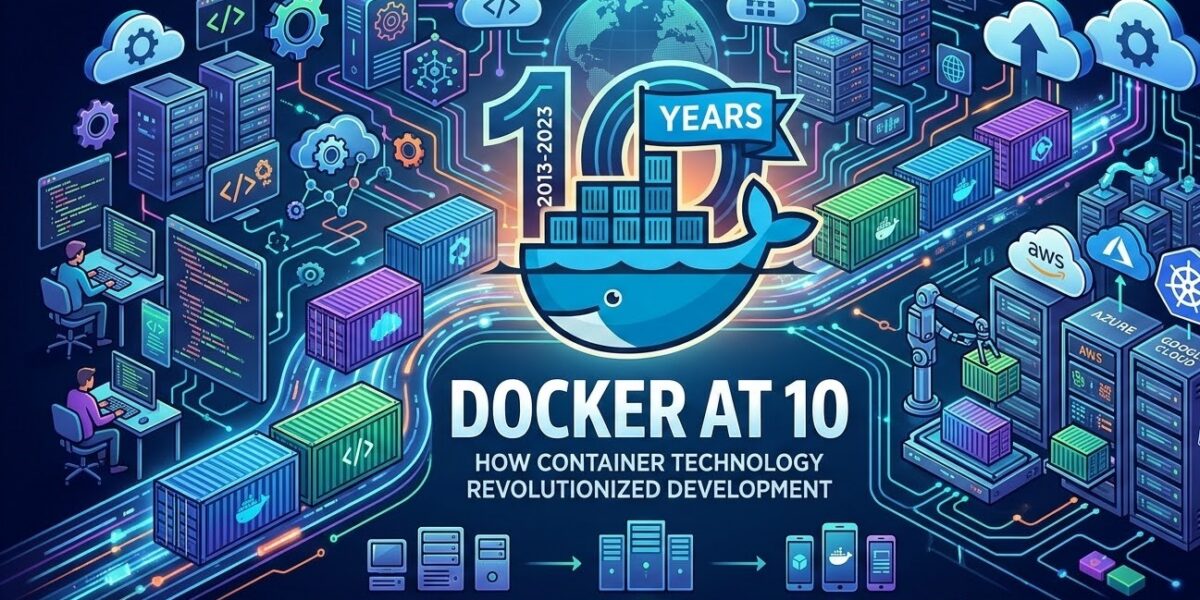
In March 2013, Solomon Hykes gave a five-minute lightning talk at PyCon in Santa Clara called “The future of Linux Containers.” He showed a tool his company, dotCloud, had built internally. It was open-sourced as Docker shortly afterwards. Few five-minute talks have changed day-to-day software work as much.
Docker is now over a decade old, which makes it a good time to look back at what it actually solved, how the container world grew around and sometimes away from it, and what good practice looks like in 2026.
Containers existed before Docker
Docker didn’t invent containers. The Linux kernel features it relies on already existed:
- Namespaces isolate what a process can see: its own process IDs, network stack, filesystem mounts and hostname.
- cgroups (control groups) limit what a process can use: CPU, memory, I/O.
- LXC (Linux Containers) combined these into usable system containers from 2008.
Before that, FreeBSD jails (2000) and Solaris Zones (2004) offered similar isolation. What Docker added wasn’t the isolation. It was the developer experience.
What Docker actually got right
1. The image as a shippable artifact
Docker’s key idea was packaging an application with everything it needs (runtime, libraries, config) into an image that runs the same way on a laptop, a CI server and in production. “Works on my machine” became “ship the machine,” or at least the relevant part of it.
2. The Dockerfile
A plain text file describing how to build an image, checked into version control next to the code. Infrastructure became reviewable, repeatable and diffable.
3. Layers and caching
Images are built as stacked, content-addressed layers. Unchanged layers are cached and shared, so rebuilds are fast and pulling an image only downloads the layers you don’t already have.
4. A registry
Docker Hub made sharing images as easy as docker pull. Official base images for languages and databases meant nobody had to start from scratch.
5. A simple CLI
docker build, docker run, docker ps. The commands were easy to remember and fast to use. That friendliness drove adoption more than any technical feature.
Why the timing was perfect
Docker arrived just as three trends converged. Cloud computing made servers disposable. Microservices broke applications into many small, independently deployed services, each of which needed packaging. And DevOps culture pushed developers and operations to share tools. Containers fit all three.
The ecosystem splits and standardises
As containers became infrastructure, the industry moved to make them vendor-neutral:
- 2015: the Open Container Initiative (OCI) was founded to standardise image formats and runtimes. Docker donated its runtime code, which became
runc. - 2017: Docker donated
containerd, the core container runtime, to the Cloud Native Computing Foundation. - Kubernetes, open-sourced by Google in 2014, won the orchestration race over Docker Swarm and others, and became the standard way to run containers at scale.
- 2022: Kubernetes 1.24 removed “dockershim,” its built-in Docker Engine adapter. Clusters now talk to runtimes like containerd or CRI-O directly. Images built with Docker still run fine, because they’re OCI images. Kubernetes just no longer needs the Docker daemon.
The result is that “Docker” now means several different things: the company, Docker Desktop, the Docker Engine, the CLI, and loosely any OCI container. Alternatives like Podman, which runs daemonless and rootless by default, and Buildah can build and run the same images.
Docker Desktop licensing
One change caught many companies out. In 2021, Docker changed Docker Desktop’s terms so that larger businesses (over 250 employees or over $10 million in annual revenue) need a paid subscription. The Docker Engine on Linux remains open source. If you’re setting up developer machines at a company, check the current terms, or consider alternatives like Podman Desktop, Rancher Desktop or OrbStack.
What good container practice looks like in 2026
A decade of production experience has settled a lot of best practice. Here’s a Dockerfile for a Node.js API that reflects it:
# syntax=docker/dockerfile:1

# ---- build stage ----
FROM node:22-alpine AS build
WORKDIR /app
COPY package*.json ./
RUN npm ci
COPY . .
RUN npm run build && npm prune --omit=dev

# ---- runtime stage ----
FROM node:22-alpine
WORKDIR /app
ENV NODE_ENV=production
COPY --from=build /app/node_modules ./node_modules
COPY --from=build /app/dist ./dist
COPY package.json ./
USER node
EXPOSE 3000
HEALTHCHECK CMD wget -qO- http://localhost:3000/health || exit 1
CMD ["node", "dist/main.js"]
What it does right:
- Multi-stage build. Build tools and dev dependencies stay in the first stage, so the final image is smaller and has less attack surface.
- Dependencies before source. Copying
package*.jsonand installing first means the dependency layer is cached until dependencies actually change. npm ciinstalls exactly what’s in the lockfile, for reproducible builds.- Non-root user.
USER nodemeans a compromised process doesn’t run as root inside the container. - Health check so orchestrators can tell when the app is actually ready.
- Exec-form
CMDso signals reach the process properly and the container shuts down cleanly.
Add a .dockerignore file excluding node_modules, .git and local env files, so they don’t bloat the build context or leak secrets into images.
Security habits worth keeping
- Pin base images to a specific version, and for strict reproducibility to a digest, and update them deliberately.
- Scan images for known vulnerabilities in CI with tools like Trivy, Grype or Docker Scout.
- Never bake secrets into images. Use build secrets (
RUN --mount=type=secret) and runtime secret management instead. - Use minimal base images such as Alpine, distroless or slim variants, to reduce what an attacker could use.
- Remember that containers aren’t VMs. They share the host kernel. For untrusted workloads, add stronger isolation such as gVisor, Kata Containers or microVMs.
What containers didn’t solve
Containers made packaging and deployment consistent. They didn’t make distributed systems simple. Networking, service discovery, observability, secrets and state all got more complicated as applications split into many containers. Kubernetes addresses much of that, at the cost of its own famous complexity. For many small teams, one container on a managed platform, or even a plain VM with Docker Compose, is still the most sensible setup.
The legacy
Docker’s lasting achievement is a shared unit of software that developers, CI systems and every major cloud understand. Even teams that never type docker today build OCI images, run them on containerd and deploy them to Kubernetes, all ideas that became mainstream because a five-minute demo in 2013 made them feel easy.