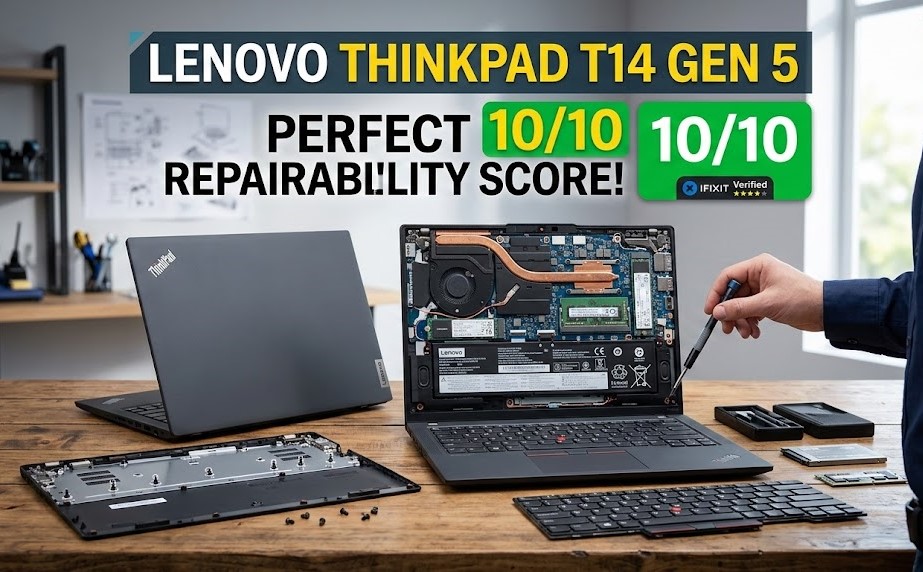
Correction: an earlier version of this post attributed the 10/10 score to the ThinkPad T14 Gen 5. The Gen 5 generation, launched in 2024, scored 9/10. The perfect score announced in March 2026 went to the new T14 Gen 7 and T16 Gen 5. This post has been rewritten to reflect that.
Laptops have spent the last decade getting thinner, lighter and harder to fix. Soldered memory, glued batteries and proprietary screws became normal. So it’s worth paying attention when a mainstream business laptop gets a perfect repairability score. In March 2026, iFixit gave Lenovo’s new ThinkPad T14 Gen 7 and T16 Gen 5 a 10/10.
How they got there
This didn’t happen overnight. At MWC 2024, Lenovo launched a ThinkPad T14 generation designed with input from iFixit’s Solutions team, and it scored 9/10. The 2026 models are the result of two more years of the same collaboration. That’s a useful reminder that repairability is a design decision made early, not something you can bolt on at the end.
What makes the new models repairable
From iFixit’s teardown and analysis:
A near tool-free battery swap
The battery is the part most likely to wear out in a laptop’s lifetime. On these ThinkPads it can be replaced almost without tools. For IT departments managing hundreds of machines, that turns a service-centre job into a desk-side one.
One of the easiest keyboard replacements iFixit has seen
On many laptops, replacing the keyboard means taking apart nearly the whole machine because it’s riveted to the top case. iFixit called this one of the easiest keyboard replacement procedures it had ever seen. Given how often keyboards get damaged by spills, that matters in the real world.
LPCAMM2 memory
This is the most technically interesting change. Thin laptops have long used soldered LPDDR memory because traditional SO-DIMM modules are bulky and slower. LPCAMM2 is a newer standard that packages low-power LPDDR5X memory in a compact, replaceable module. You get the speed and efficiency of soldered memory with the option to upgrade or replace it later. It’s one of the most important repairability developments in laptops in years.
Standard M.2 storage
The SSD is a standard M.2 drive, so replacing or upgrading storage uses off-the-shelf parts.
Modular cooling and ports
The cooling fan can be replaced on its own, without swapping the whole heatsink assembly. Even more unusually, the Thunderbolt ports are fully modular and individually replaceable. USB-C ports wear out from constant plugging and unplugging, and on most laptops a broken port means replacing the motherboard.
Parts and documentation
A good score also depends on being able to get parts and instructions. iFixit noted that OEM parts were already available and that official parts and documentation were coming through Lenovo’s support site.
What’s still not perfect
A 10/10 doesn’t mean every repair is easy. iFixit pointed out a few limits:
- Wi-Fi module repairs are “impractical at best”.
- Some less-used ports still sit on the main board or a breakout board rather than being modular.
- Replacing the display panel still means dealing with adhesive.
That’s an honest picture. The things most likely to fail or need upgrading (battery, keyboard, memory, storage, fan, main ports) are easy to service. Some rarer repairs are still hard.
How it compares with Framework
Framework has long been the reference point for repairable laptops, with modular ports and user-replaceable everything. Notebookcheck noted that the new ThinkPads now match Framework’s repairability score. The difference is who they’re for. Framework built its brand around repairability and upgrades for enthusiasts. Lenovo is bringing similar repairability to mainstream business fleets, bought by the thousand through corporate procurement. If big buyers start expecting this, other manufacturers will have to follow.
Why this matters beyond ThinkPad fans
Lower total cost of ownership
For organisations, repairability is mostly a money question. Swapping a battery or keyboard in minutes, instead of shipping the laptop away or replacing it, means less downtime and a longer device life. That adds up quickly across a fleet.
Less e-waste
Extending a laptop’s working life from three years to five or more is one of the most effective ways to reduce the environmental cost of computing, since so much of it comes from manufacturing.
Right-to-repair pressure is working
Repair laws in the EU and several US states, plus repairability scoring such as France’s repair index, have made repairability a competitive feature. Lenovo’s results show that thin, powerful business laptops don’t have to be sealed boxes.
Should you buy one?
If you’re choosing business laptops for yourself or a team, repairability is now a fair thing to weigh alongside performance and price. The T14 Gen 7 and T16 Gen 5 are strong options if you want a machine you can keep running for years. Check the exact configuration, since memory type and options can vary between models, and confirm parts availability in your region.
Whatever you buy, it’s worth asking a simple question before you pay: when the battery wears out in three years, what will it take to replace it? This is one of the few laptops where the answer is “not much.”
How to check repairability before you buy any laptop
You don’t need a perfect score to get a laptop that lasts. A few checks before buying tell you most of what you need to know:
- Look up the teardown. iFixit publishes teardowns and repairability scores for many popular models. Even without a score, photos of the inside show whether the battery is screwed or glued in and whether memory is soldered.
- Check the memory type. Soldered memory means the RAM you buy is the RAM you keep for the machine’s whole life. If it’s soldered, buy more than you think you need. If it uses SO-DIMM or LPCAMM2 modules, you can upgrade later.
- Find the service manual. Lenovo publishes hardware maintenance manuals for ThinkPads, and some other manufacturers publish similar guides. If there’s no official documentation, repairs will depend on third-party guides.
- Search for spare parts. Try searching for the model’s battery and keyboard part numbers. If they’re easy to buy in your country, repairs will be practical in three years’ time.
- Ask about local service. A repairable design helps most when there’s a service centre or a good independent repair shop nearby that can get the parts.
If you buy used or refurbished business laptops, which is common in markets like Pakistan, these checks matter even more. The battery is often the first thing that needs replacing, so a model with an easily replaced battery and available parts is a much safer purchase.
Related reading
- Apple’s Houston Plant: US-Made Mac mini and AI Servers
- Motorola and GrapheneOS: What the Partnership Means
- The Xbox One “Bliss” Hack Explained
Sources: iFixit, Notebookcheck, Windows Central.