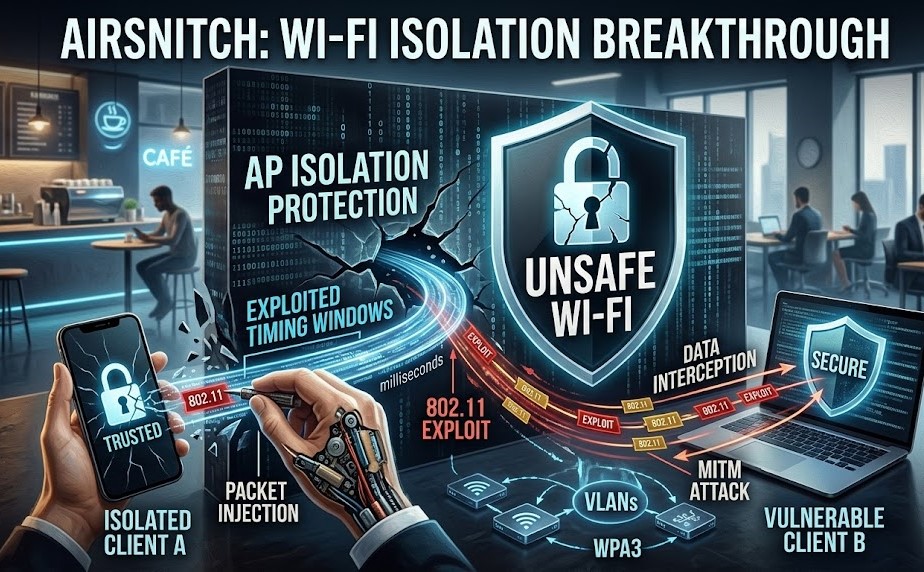
Client isolation is one of those Wi-Fi settings most people have never thought about but rely on constantly. It’s the reason the laptop next to you in a café, on the same network, supposedly can’t talk to yours. Hotels, airports, offices and home guest networks all lean on it.
A paper presented at the NDSS Symposium in February 2026 argues that this protection is much weaker than we assumed. The research is called AirSnitch, and its headline finding is blunt: every router and network the researchers tested was vulnerable to at least one of their attacks.
This post explains what client isolation is supposed to do, the attack techniques AirSnitch uses (without the hype some headlines added), and what network admins and ordinary users should do about it.
Who did the research
AirSnitch comes from a team of researchers at the University of California, Riverside, and KU Leuven in Belgium. KU Leuven is home to Mathy Vanhoef, who previously discovered the KRACK and FragAttacks Wi-Fi vulnerabilities. The paper, “AirSnitch: Demystifying and Breaking Client Isolation in Wi-Fi Networks”, is available from the NDSS site and as a PDF.
According to SecurityWeek, vendors got more than 90 days to work on fixes before publication.
What client isolation is supposed to do
On a normal Wi-Fi network, devices can reach each other directly. That’s how your phone finds your smart TV. With client isolation turned on, the access point is meant to block traffic between clients, so each device can only talk to the internet through the gateway.
The key problem the paper identifies is that client isolation was never properly standardised. The Wi-Fi standards don’t define exactly what it must block or how. Each vendor implemented its own version, usually as a filter at one layer of the network stack, and attackers can go around a filter at one layer by working at another.
How the AirSnitch attacks work
The paper describes several techniques. Here are the main ones in plain terms.
1. Abusing the group key (GTK)
WPA2 and WPA3 give each client its own key for unicast traffic, but broadcast and multicast traffic uses a shared Group Temporal Key (GTK) that every client on the network knows. An attacker who is a legitimate member of the network can use that shared key to wrap a frame so it looks like broadcast traffic from the access point, while the packet inside is really aimed at one victim. The victim’s device accepts it, and isolation never gets a say.
Some enterprise-grade access points can give each client a different, randomised group key, which defeats this particular trick. Most consumer gear doesn’t.
2. Gateway bouncing
Isolation often works at Layer 2 (MAC addresses) but not at Layer 3 (IP addresses). In this attack, the attacker sends a packet with the gateway’s MAC address as the Layer 2 destination but the victim’s IP address as the Layer 3 destination. The access point sees traffic going to the router, so it lets it through. The router then looks at the IP address and forwards the packet back onto the Wi-Fi network, straight to the victim.
3. Port stealing and machine-in-the-middle
The most serious variant leads to a full machine-in-the-middle position. Networks don’t keep a client’s identity tightly synchronised across the wireless and wired parts of the infrastructure. By spoofing a victim’s MAC address, for example by connecting to a different access point or band on the same network, an attacker can convince the switch or AP to send the victim’s traffic to them instead. Combined with ARP spoofing, this can intercept traffic in both directions.
The Kaspersky write-up has a good, readable breakdown of each variant if you want more detail.
Which devices were tested
The researchers tested equipment from a wide range of vendors, including Cisco, Netgear, Ubiquiti, Tenda, D-Link, TP-Link, LANCOM and ASUS, as well as OpenWrt and DD-WRT. Each device was vulnerable to at least some of the techniques. Kaspersky’s summary notes that two devices, the D-Link DIR-3040 and LANCOM LX-6500, were vulnerable to all of them.
That breadth is the point. This isn’t a bug in one vendor’s firmware. It’s a design gap that shows up almost everywhere.
What AirSnitch doesn’t do
Some coverage made this sound like anyone within range can break into any Wi-Fi network. That’s not what the paper shows, so a few limits are worth stating clearly:
- The attacker has to be on the network. AirSnitch is about bypassing isolation between clients that are already connected. On a public hotspot or a guest network with a shared password, that’s a low bar. On a network with individual credentials, it’s higher.
- It doesn’t break encryption between you and websites. If your connection uses HTTPS, a machine-in-the-middle sees encrypted traffic, not your passwords. The risk grows with plain HTTP, weak TLS setups, and local services that don’t use encryption at all.
- It isn’t a single CVE you can patch. Because the root cause is architectural, fixes depend on each vendor, and some protection has to come from how the network is designed.
What network admins should do
If you run Wi-Fi for an office, hotel, school or any shared space, treat client isolation as a convenience feature, not a security boundary. Practical steps:
- Segment with VLANs, and tag properly end to end. Put guest and untrusted devices on separate VLANs, with 802.1Q tagging preserved from the access point all the way to the firewall. Then filter between segments at the firewall, where you control the rules.
- Enable per-client group keys if your hardware supports them. This shuts down the GTK-based variant.
- Turn on switch protections. Dynamic ARP Inspection and DHCP snooping make ARP spoofing and port stealing much harder.
- Watch for firmware updates. Check your vendor’s security advisories for AirSnitch-related fixes and apply them.
- Keep IoT and management interfaces off shared networks. Cameras, printers and admin panels often have weak or no encryption. They shouldn’t share a segment with guests.
What regular users should do
You can’t fix a hotel’s access point, but you can limit what an attacker on the same network could see:
- Stick to HTTPS sites. Modern browsers warn about insecure pages, so don’t click past those warnings on public Wi-Fi.
- Use a trustworthy VPN on public networks. It moves the trust boundary from the local network to the VPN provider.
- Keep your device’s firewall on and turn off file sharing and network discovery on public networks. Windows’ “Public network” profile does this for you.
- At home, don’t assume the guest network fully protects your main devices from guests’ devices. If you have smart-home gear, consider a separate network for it.
The bigger lesson
AirSnitch fits a familiar pattern in security research: a feature everyone treats as a boundary turns out to be a collection of vendor-specific filters with no shared definition. The researchers argue that a proper long-term fix needs coordination between standards bodies, manufacturers and operators.
Until that happens, the safest assumption is the old one. Any shared network is hostile, and anything sensitive should be protected by encryption you control, not by the access point’s promise to keep neighbours apart.
Related reading
- The FCC’s Foreign Router Ban Explained
- UNC3886 Inside Singapore’s Telcos
- Motorola and GrapheneOS: What the Partnership Means
Sources: NDSS Symposium paper page, SecurityWeek, Kaspersky.