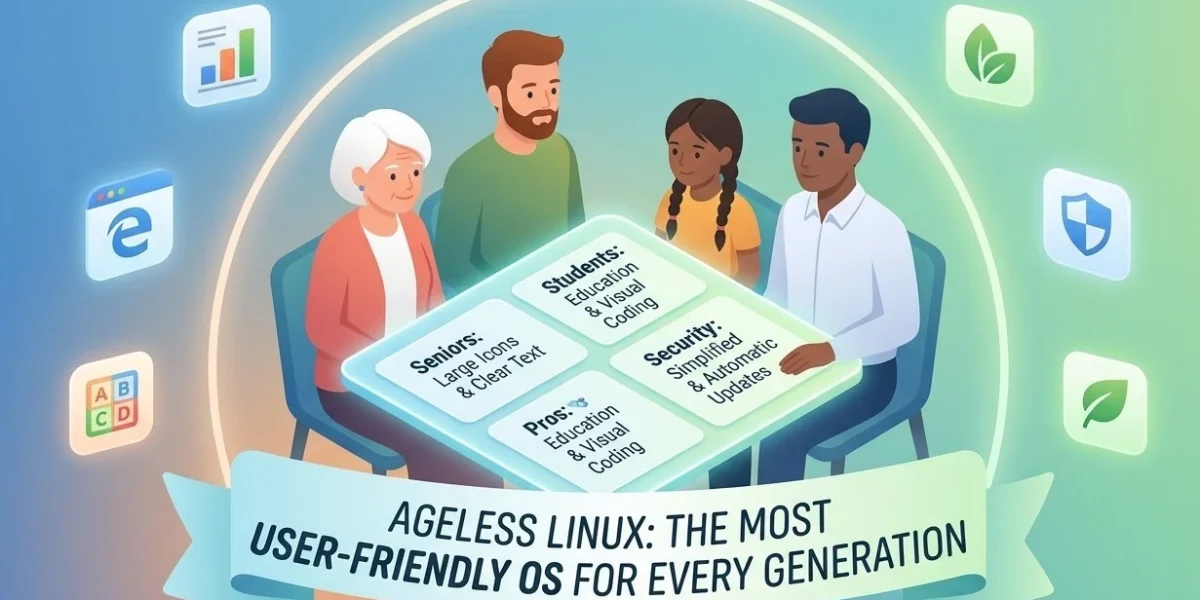
When most people think about Linux, they imagine complex command-line interfaces and technical jargon. They see a steep learning curve designed for computer scientists. Ageless Linux shatters this stereotype. It provides software that works for humans of all ages, from toddlers to centenarians.
The philosophy behind Ageless Linux is simple: technology should be intuitive. Whether you are a teenager exploring code or a senior citizen staying connected with family, this system provides a seamless experience.
What Makes Ageless Linux Different?
Traditional operating systems often create artificial barriers. Windows requires navigating deep menus. While macOS is streamlined, it still assumes high digital literacy. Ageless Linux asks: What if software was so intuitive that age became irrelevant?
This philosophy manifests in four key design principles:
- Visual Consistency: Interfaces remain stable across all applications.
- Predictable Behavior: Actions yield expected results without memorization.
- Contextual Help: Assistance appears exactly when and where you need it.
- Progressive Disclosure: Advanced features stay hidden until you specifically look for them.
Key Features Built for Accessibility
Universal Design as a Foundation
Accessibility is not an afterthought here—it is the core. The system includes built-in features that usually require third-party tools on other platforms.
- High-Contrast Modes: These work system-wide for better visibility.
- Dynamic Text Scaling: Clarity is maintained at any font size.
- Natural Voice Control: The system understands everyday language commands.
- Unified Keyboard Navigation: Consistent shortcuts work across every interface.
Security Without the Complexity
Security often creates the biggest barrier for non-technical users. Confusing permission pop-ups often lead users to make mistakes. Ageless Linux handles security differently:
- Silent Automatic Updates: These happen in the background without interrupting your work.
- Biometric Authentication: Use simple fingerprints or patterns instead of complex passwords.
- Explained Permissions: The system tells you why an app needs access to your camera or files.
Who Benefits Most from This OS?
Seniors Embracing Digital Life
Older adults often face the steepest learning curve. Ageless Linux addresses this with simplified communication tools for video calls and large-print interfaces. Many community centers have adopted this platform because it reduces the need for constant IT support.
Young Learners and Students
For students, the system provides a safe “sandbox” for exploration. It includes educational software that is engaging but not overwhelming. Built-in parental controls and content filtering ensure a safe browsing experience from day one.
Professionals Seeking Reliability
Business users benefit from a “zero-maintenance” operation. It offers excellent compatibility with Microsoft Office formats and seamless cloud integration. This allows professionals to focus on work rather than troubleshooting software updates.
Technical Foundation: Power Under the Hood
The Strength of the Linux Kernel
Despite the simple exterior, Ageless Linux is built on a rock-solid foundation. Users benefit from the Linux Kernel’s legendary stability and security. All technical complexity is hidden behind an elegant interface.
Performance on Older Hardware
Ageless Linux is optimized to be lightweight. It can revive a ten-year-old laptop, making it a sustainable choice that reduces electronic waste.
- Fast Boot Times: Most systems start in under 15 seconds.
- Low Resource Usage: The OS stays responsive even on limited RAM.
Getting Started: Installation and Support
Installing Linux used to be scary. Ageless Linux simplifies this into a guided 30-minute process.
- Live USB Creation: Use tools like BalenaEtcher to try the OS before installing.
- Guided Setup: Clear, plain-language instructions walk you through every step.
- Data Migration: Built-in tools help you move files from Windows or Mac easily.
Conclusion: The Future of Computing is Ageless
Technology should serve humanity. Ageless Linux represents a shift in design, proving that powerful computing can be accessible to everyone. It is not about “dumbing down” the software; it is about “smartening up” the design.
The question is no longer whether you are technical enough to use Linux. The only question that matters is: What do you want to accomplish today?
Ready to try it? Check out our [Internal Link: Top 5 Beginner Tips for New Linux Users] to start your journey with confidence.